Read the commit graph
Every line of history gets its own lane and colour — branches, remotes, tags, stashes, and uncommitted work live in one tree.
Every line of history gets its own lane and its own colour. Instead of one tangled column, each concurrent line of development is a swimlane you can follow with your eye.
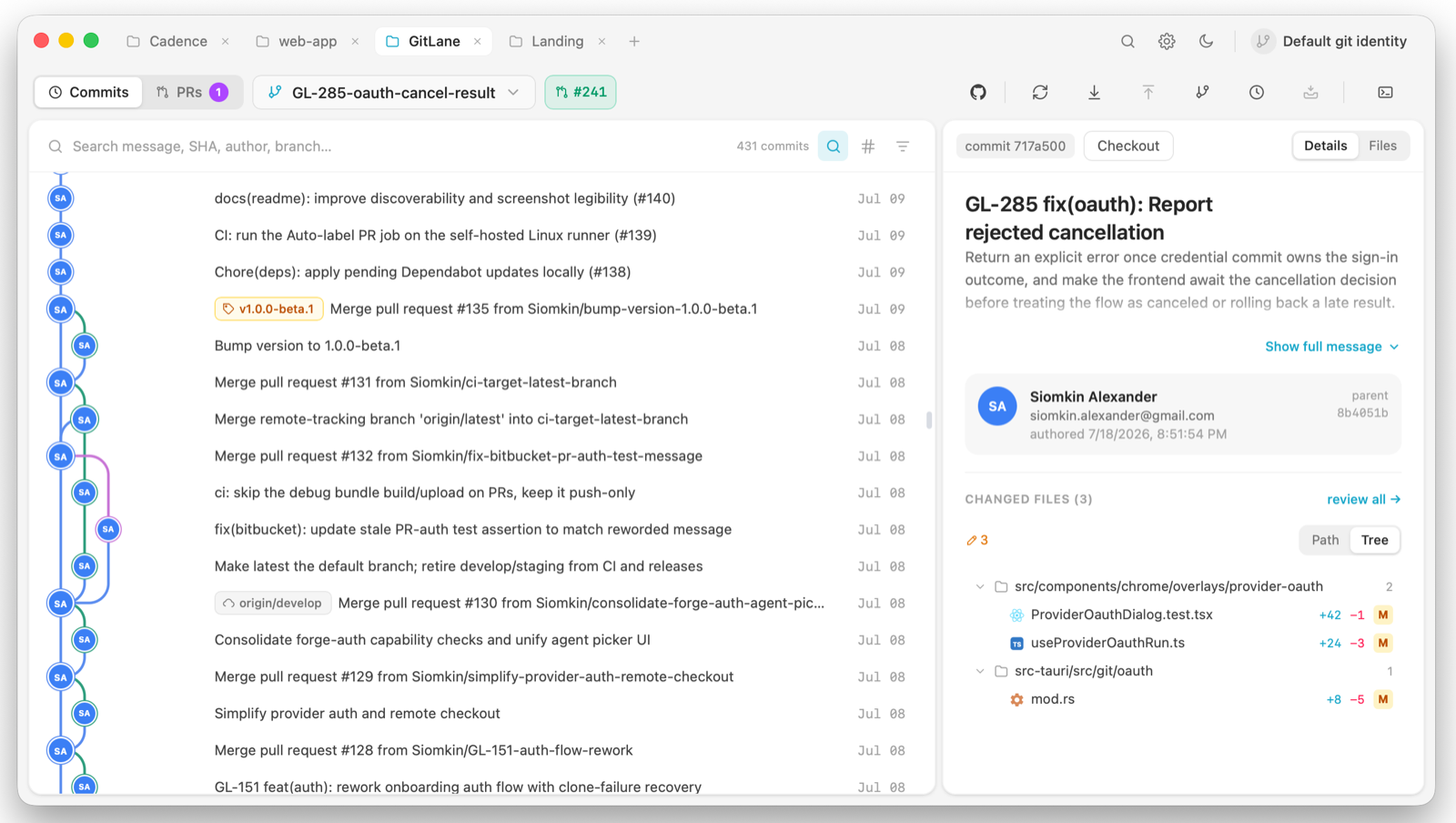
What’s in the view
Branches, remotes, tags, stashes, and your uncommitted work all live in the same tree:
- Stashes appear at the point in history where you made them, not in a detached list.
- Uncommitted changes float on top as a WIP row.
- Commit nodes show author avatars, with badges for co-authors and for commits made by bots and AI agents — Claude, Codex, Cursor, Copilot, and Dependabot are recognised.
Select commits
- Click a commit to inspect it.
- Shift-click to select the range between two commits.
- ⌘-click (Ctrl-click on Windows and Linux) to add or remove one commit.
A multi-commit selection is what powers combined-diff review, squashing, and AI actions.
The layout is computed in Rust and painted onto a canvas; only the rows in the viewport exist at any moment, so histories with thousands of commits still scroll. A filesystem watcher watches the open worktree, including .git, so work you do in a terminal shows up without a refresh button.
Good to know
If you switch branches in a terminal, the graph follows within a fraction of a second. There is no refresh button on purpose.
Jump to a ref with the branch navigator (⌘⌥F) — see Search history in the app.
Full walkthrough: The commit graph.
Installers: Download GitLane.