Search history in the app
Highlight matches in place, search the whole repository with pickaxe, and jump refs from the branch navigator — this is not the site header search.
This is search inside GitLane — the commit graph, pickaxe, the branch navigator. It is not the journal search in the header of this site.
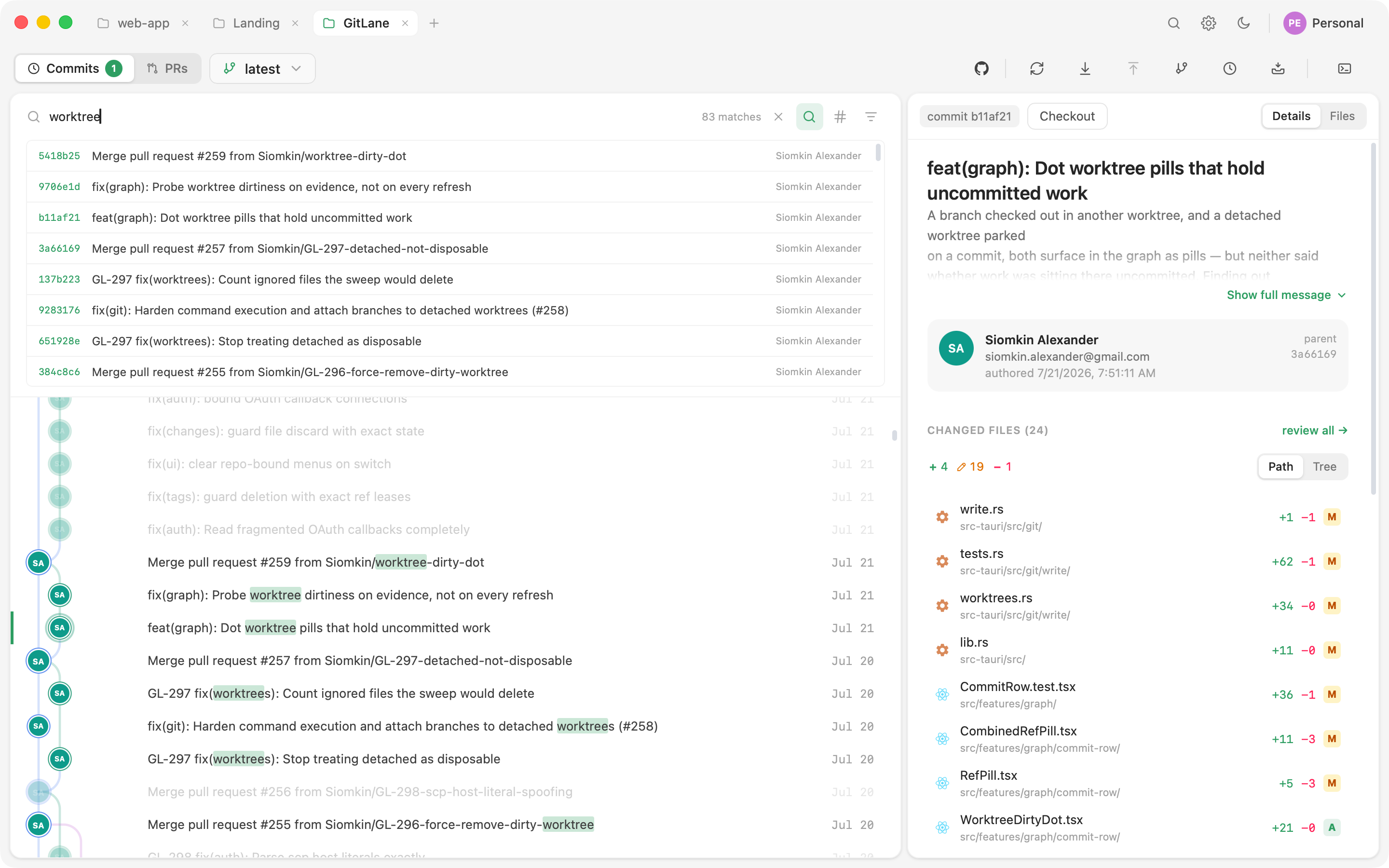
Incremental search
Press ⌘F (Ctrl+F on Windows and Linux) while the history view is focused. Matches highlight in place while everything else dims. Message, SHA, author, and branch are all matched. Nothing is filtered out or reordered, so a hit keeps its position in the tree.
Advanced search
Incremental search covers what’s loaded. Advanced mode searches the whole repository:
| Filter | What it does |
|---|---|
| Message regex | Full regular-expression match on commit messages |
| Author | Match by author |
| File path | Which commits touched this path — with autocompletion |
| Date range | since / until bounds |
| Pickaxe | Git’s -S: which commit changed this code? |
Click a result and the graph pages in as much history as it takes to land on it, then scrolls there.
Branch navigator
Press ⌘⌥F (Ctrl+Alt+F). It’s a two-pane dropdown: All / Branches / Remotes / Worktrees / Tags / Stashes beside the matching list. Type to filter; click anything to move the graph to its tip.
Branches and remotes sort by the tip’s committer time — git records no branch creation time. The checked-out branch and pinned rows sort above. Pins persist per repository.
You can drag a branch out of the navigator onto another branch in the graph — the same merge / rebase / fast-forward / reset menu as branch operations. For one file rather than the whole repo, use file history.
Good to know
Incremental search only covers what’s already loaded. If the commit isn’t on screen yet, use advanced search (or pickaxe) so the graph can page history in.
Full walkthrough: Search and navigation.
Installers: Download GitLane.