Browse, review, and merge pull requests
GitHub, GitLab, Bitbucket, and Cursor Origin — what the PRs tab can do on each forge, and where tokens live.
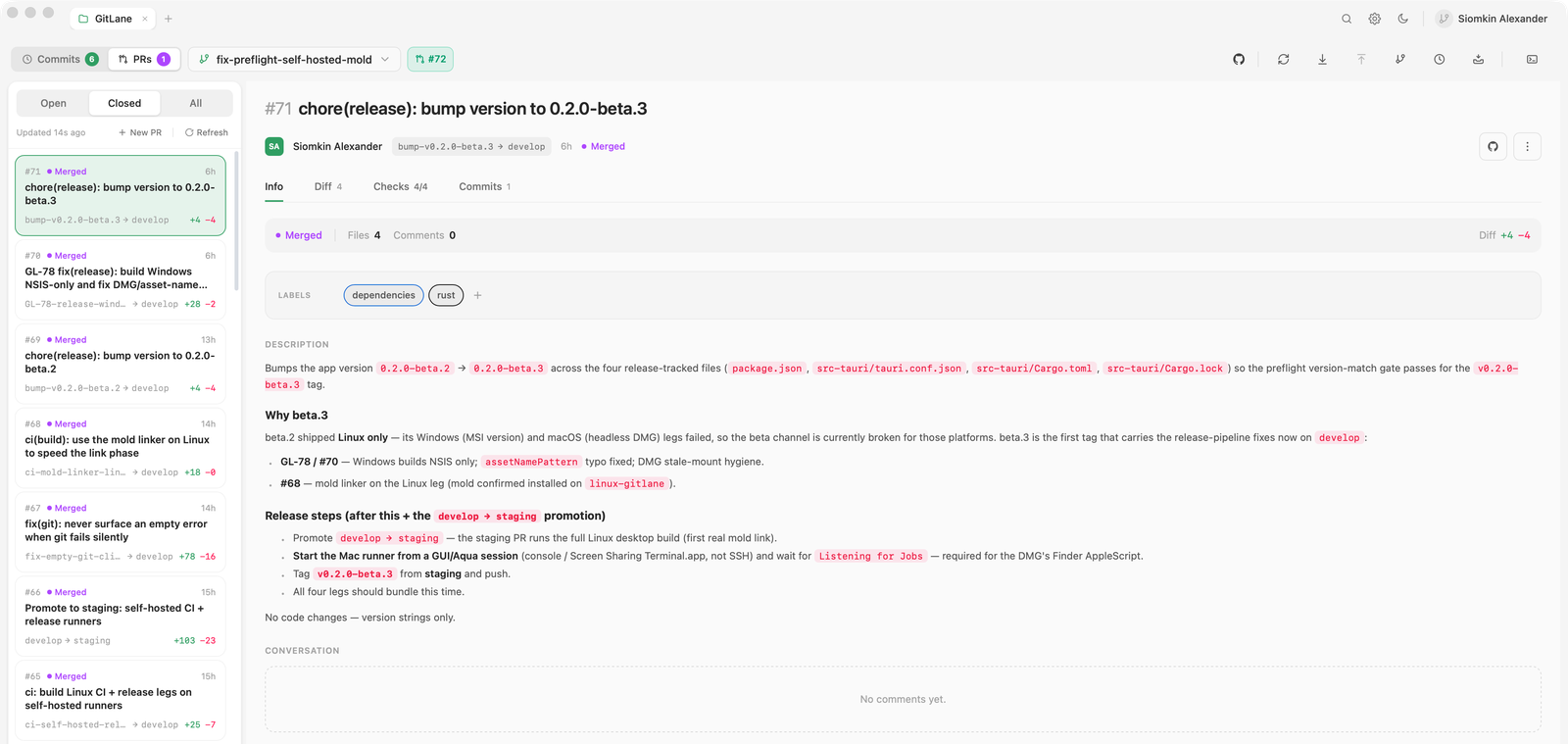
Switch to the PRs tab to browse, review, and merge pull requests for the repository you have open. GitHub gets the full experience; GitLab merge requests, Bitbucket Cloud pull requests, and Cursor Origin pull requests cover the core workflow.
What's supported where
| Capability | GitHub | GitLab | Bitbucket | Origin |
|---|---|---|---|---|
| List, detail, full diff, commits | Yes | Yes | Yes | Yes |
| Create PR/MR (including drafts) | Yes | Yes | Yes | Yes |
| Merge (merge commit / squash) | Yes | Yes | Yes | Yes |
| Rebase merge | Yes | No | No | — |
| Delete the branch on merge | Yes | Yes | Yes | — |
| Approve (no comment) | Yes | Yes | Yes | Yes |
| Read review threads, resolve / reopen | Yes | No | No | Yes |
| Submitted reviews | Yes | No | No | Yes |
| CI checks | Yes | No | No | Yes |
| Close / reopen / mark ready | Yes | No | No | Yes |
| Write comments or replies, request changes | No | No | No | No |
| Stacked PRs (stack card, merge stack) | Yes | — | — | — |
No means GitLane doesn't do it on that forge today. A dash means the forge doesn't offer it. Origin merge is squash or merge commit only. On GitLab, a draft is marked with a Draft: title prefix, and because GitLane can't mark it ready there, finish the draft on GitLab before merging.
Where something isn't supported, GitLane says so explicitly rather than failing with a confusing error from the underlying CLI or API.
Connecting each forge
- GitHub — GitHub CLI
gh2.95+.gh auth login. Multiple accounts and GitHub Enterprise are both supported; GitLane binds each repository to one account rather than mutating your globalgh auth switchstate. See A GitHub account for each remote. - GitLab —
glabsigned in, or a personal access token in Settings → Accounts (REST v4). Native OAuth (device flow) is also available; the token lands in your OS keychain. - Bitbucket — Bitbucket Cloud only (not Server or Data Center), and no first-party CLI. Add an Atlassian API token in Settings → Accounts (legacy app passwords also work), or connect via native OAuth (PKCE loopback).
- Cursor Origin — Origin CLI,
origin auth login. GitLane uses that CLI session and never stores an Origin token. Native Windows is not supported — use macOS, Linux, or WSL.
Creating a pull request from a branch, including GitHub stacks, is a separate write-up: Create a pull request, including GitHub stacks.
Reviewing and stacks
Open a pull request for its body, file list, commits, and — on GitHub and Cursor Origin — CI checks, which refresh every 30 seconds while the open pull request is selected. Diffs use the same renderer as the rest of the app.
GitLane reads the discussion but doesn't write to it. On GitHub and Cursor Origin you can read review threads and resolve or reopen them, and an approval never carries a comment. To comment, reply, or request changes, use Open on GitHub, Open on GitLab, Open on Bitbucket, or — for Origin — Open on Codebase, which opens the pull request on the forge. On GitLab and Bitbucket the detail shows the comment count, not the comments.
When a GitHub pull request is part of a stack, its Info tab shows a stack card: every layer from the base branch up. Merge stack lands your pull request plus every unmerged layer below it in one atomic operation. If any layer can't merge, none of them do. To start a stack, target another open pull request when you create one. Restacking after a rebase is not in GitLane — use gh or the GitHub web UI, and GitLane will show and merge the result.
Azure DevOps, Gitea, and Forgejo/Codeberg work for commit, branch, push, and pull. Only the pull-request view is unavailable there.
Good to know
Provider tokens are stored in your OS keychain (or owned by
gh/glab/origin) and resolved in the backend immediately before the operation that needs them, then dropped. They are never handed to the frontend. Errors fromgitandghare redacted before they surface.
Full walkthrough: Pull requests.
Installers: Download GitLane.