Release1 min read
GitLane v2.5.1
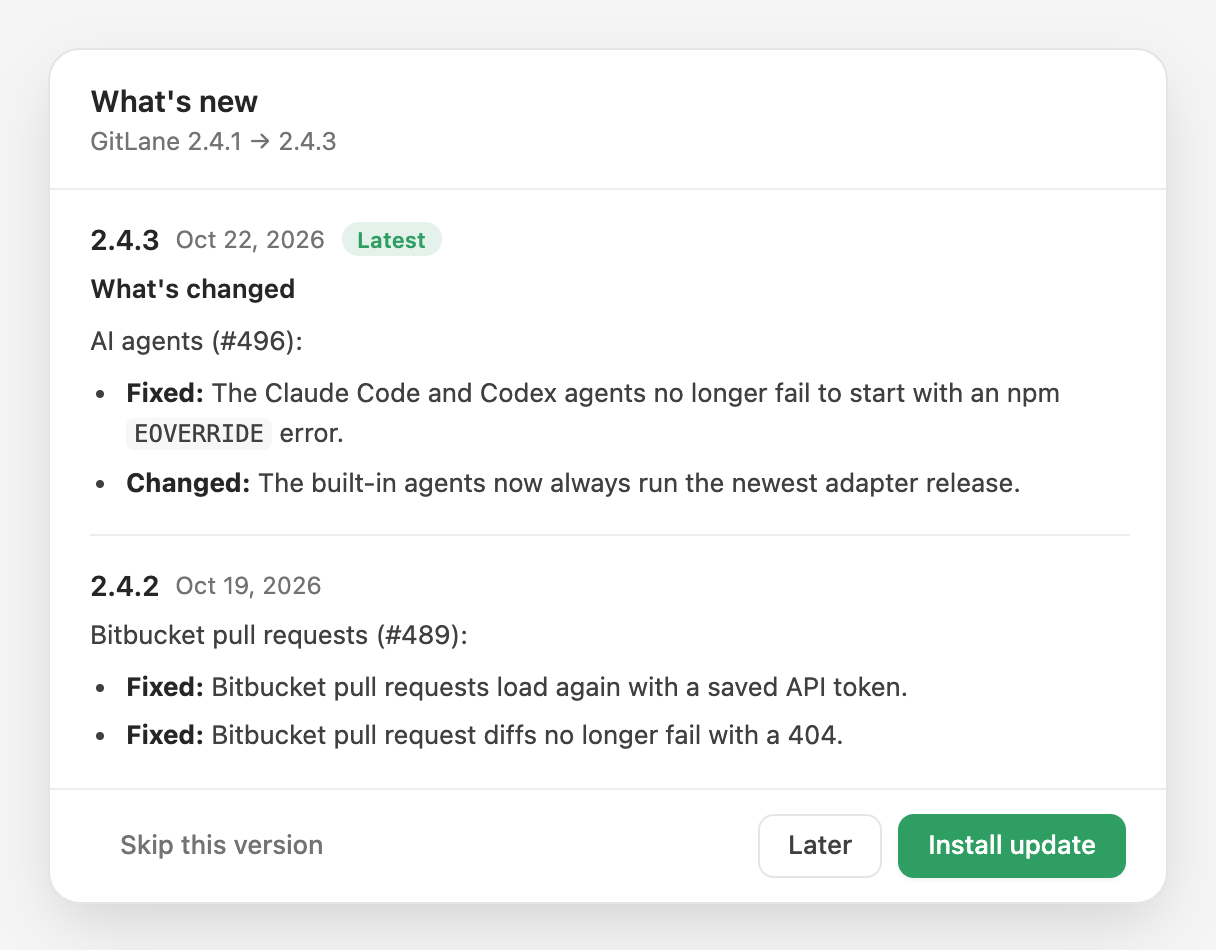
See what's new before you update — every release between yours and the one on offer — and skip a version you don't want yet.
Also in the docs: Updates and release channels
What's changed
Software updates (#515):
- New: Clicking the update icon in the title bar opens a What's new window. It lists every version between the one you run and the one on offer, each with its release notes, and you can install from there.
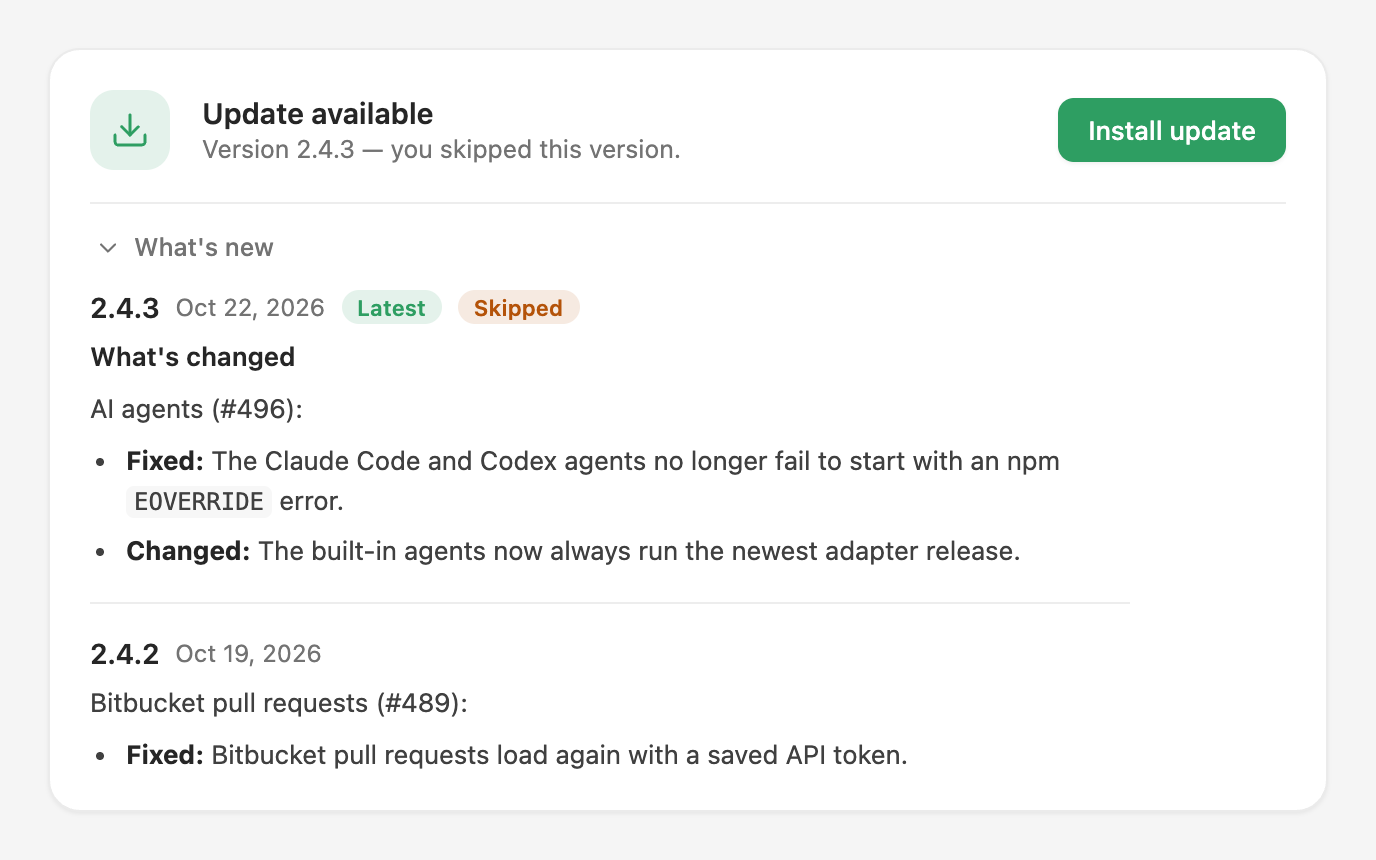
- New: Skip this version. If you don't want an update yet, skip it and GitLane stops showing the update icon for that version. When a newer release comes out, GitLane offers it as usual. "Check for updates" in Settings → About still offers a version you skipped, marked as skipped.
- Changed: Settings → About gains Skip this version and a collapsible What's new list.
- If GitLane can't load the release notes (for example when you're offline), it shows a link to the GitHub release page, and you can still install the update.
Installers: Download GitLane.