GitLane v2.5.0
Open a repository on a remote server over SSH (beta) — the code stays on the server — with a terminal there, plus a smoother tab drag and a security fix.
Also in the docs: Remote repositories
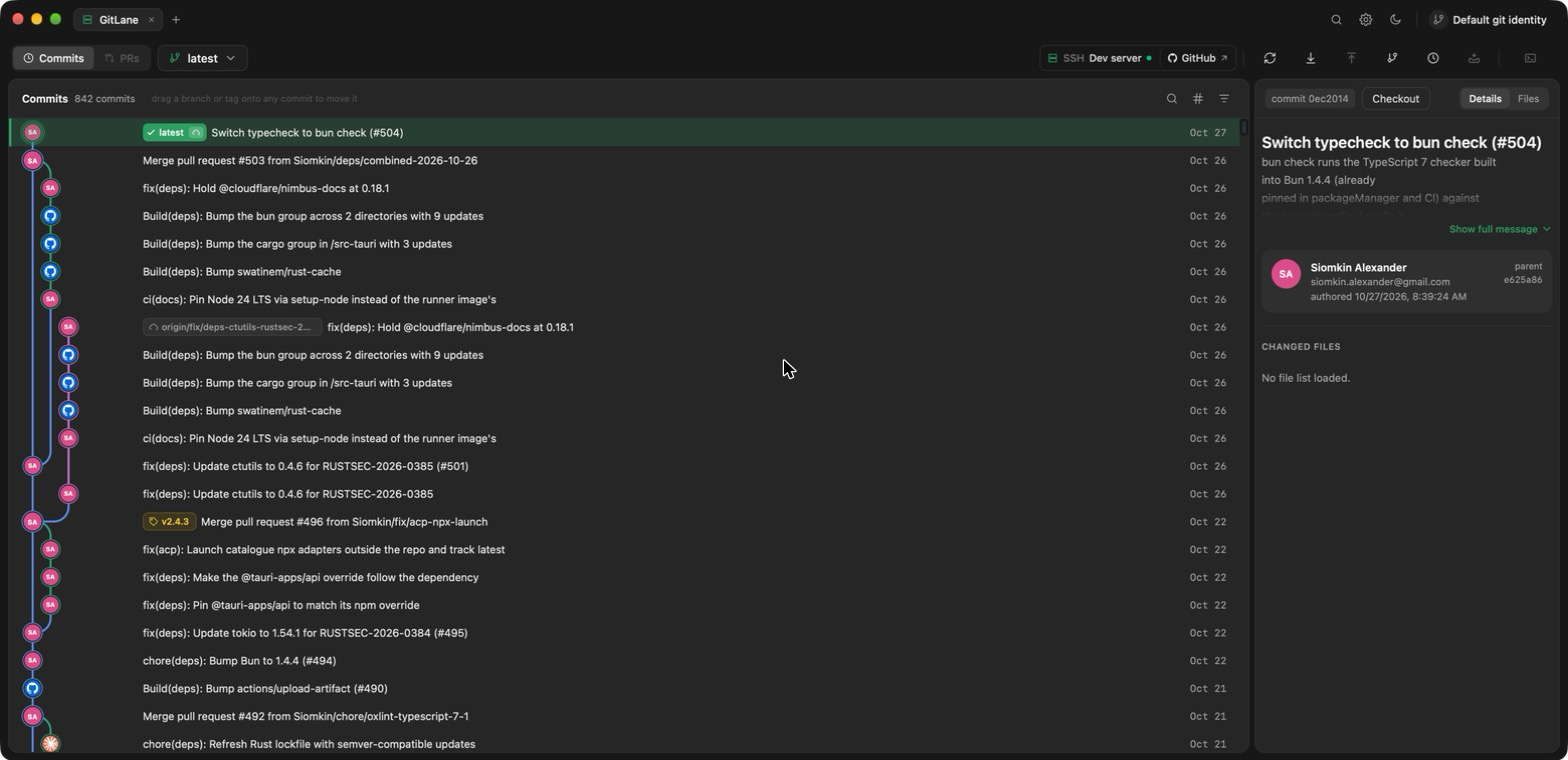
What's changed
Remote repositories over SSH, beta (#505):
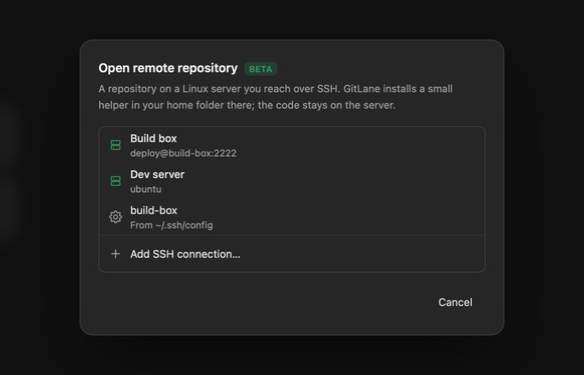
- New: Open a git repository that lives on another machine — a dev box, a build server, a cloud VM. On the home screen, choose Open remote repository. The repository never leaves the server: GitLane installs a small signed helper,
gitlane-agent, in~/.gitlane-server/there, and only command results cross the connection. - New: Pick a server from your saved connections or from the hosts in your
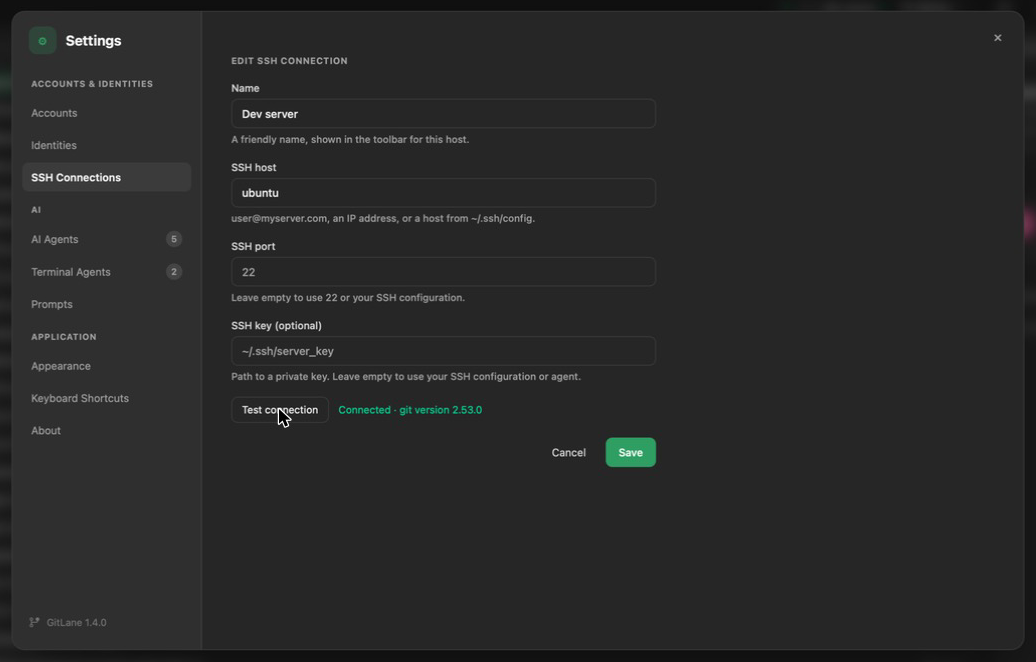
~/.ssh/config, browse its folders, and open a repository in a tab. Repositories are marked as you browse. - New: Save named connections with a host, port and an optional key file, and Test connection before saving. Manage them from the open dialog or Settings → SSH Connections. No password or key is stored, only the key file's path.
- New: Everything runs on the server: history and the graph, diffs, staging, commits, branch operations, merge, rebase, cherry-pick, revert, reset, conflict resolution, stashes, worktrees, fetch, pull and push. A watcher on the server keeps the view live when something changes there.
- New: GitLane connects with your own
ssh, so your config, agent,ProxyJumpand known hosts apply. Passwords, key passphrases, one-time codes and a first-time host key are asked inside the app and passed to that connection only. - New: Fetch, pull and push use the server's own credentials, including its own
ghlogin for GitHub HTTPS remotes. No GitLane account or token is sent to the server.
A terminal on the server (#506):
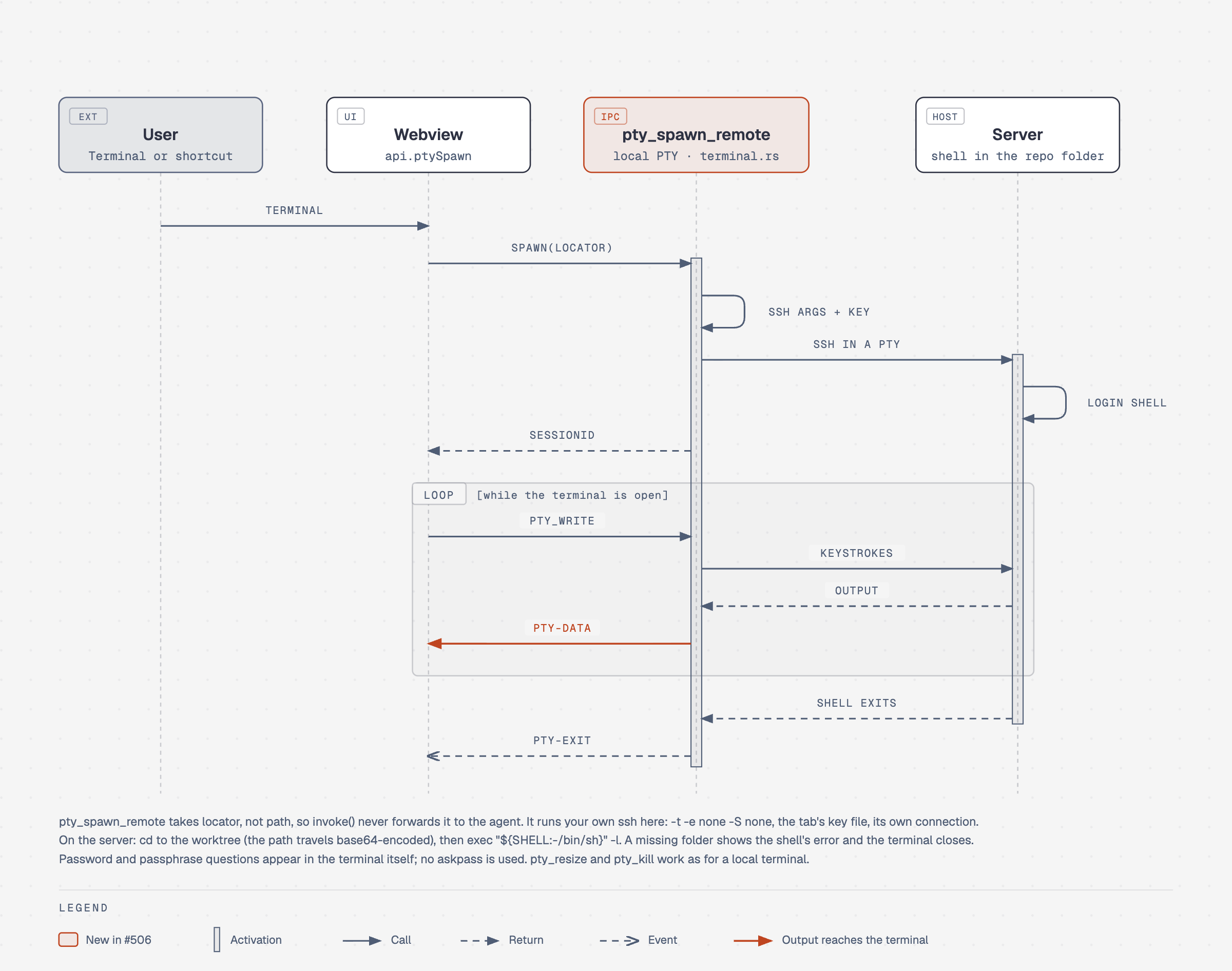
- New: In a remote tab, Terminal opens a login shell on the server, in the repository's folder, through your own
ssh. If the server asks for a password or passphrase, type it into the terminal itself.
Repository tabs (#509):
- Fixed: Dragging a repository tab in the title bar no longer shows the dragged tab in the window's top-left corner, and the tab order no longer flickers while you drag, especially around tab groups.
Security (#511):
- Fixed: A worktree path reported by a server can no longer open a tab on a different host.
Dependencies (#501, #503): updated ctutils and libz-sys for security advisories RUSTSEC-2026-0385 and RUSTSEC-2026-0418, plus routine updates.
How it works
Every call for a remote tab goes through one ssh session per host to gitlane-agent on the server. The helper runs the same git core as the desktop app: reads use libgit2, writes run the server's real git. Only the results come back, as compact JSON lines. When ssh needs a password or passphrase, its question comes back to the app through a local askpass bridge.
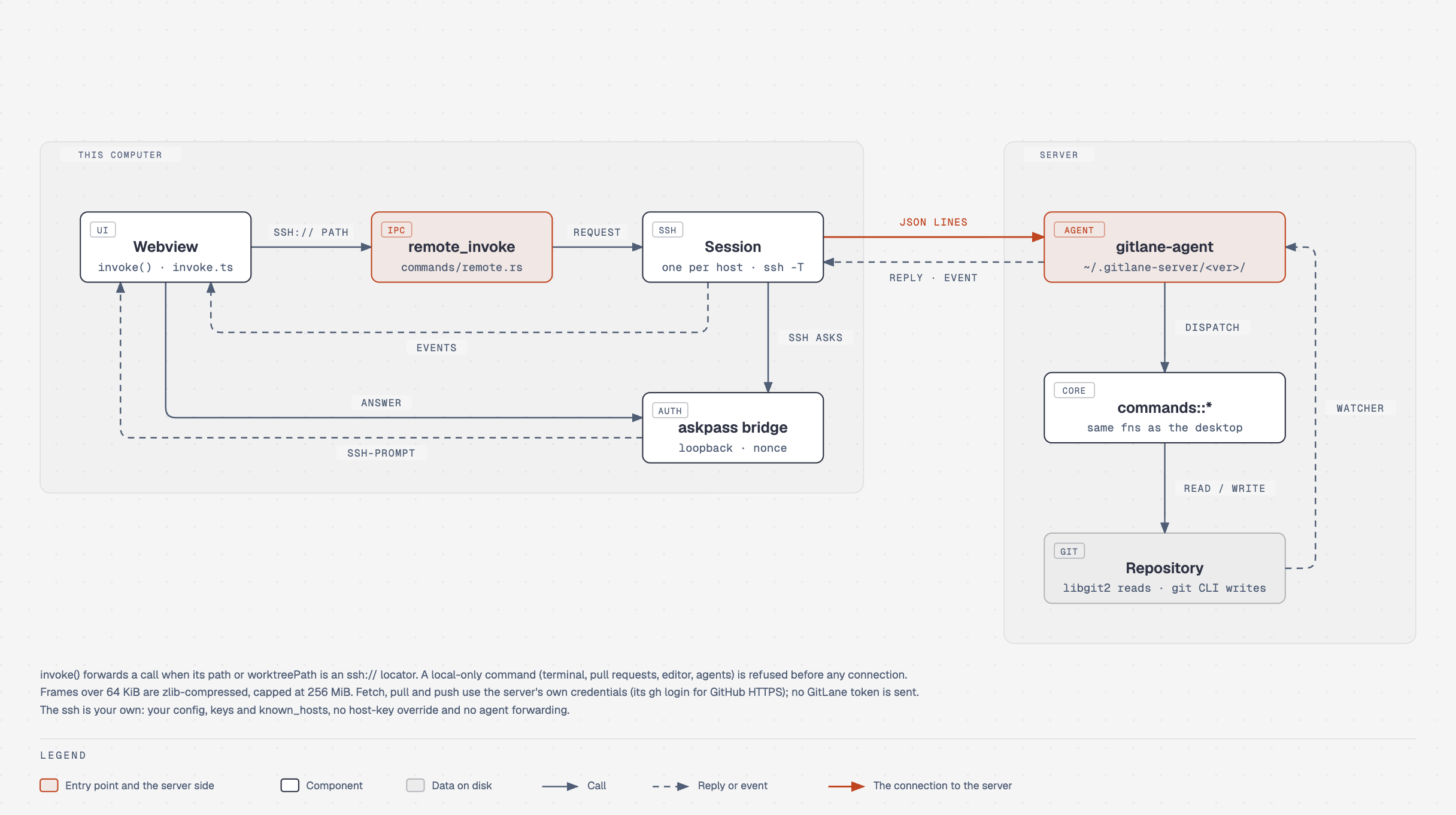
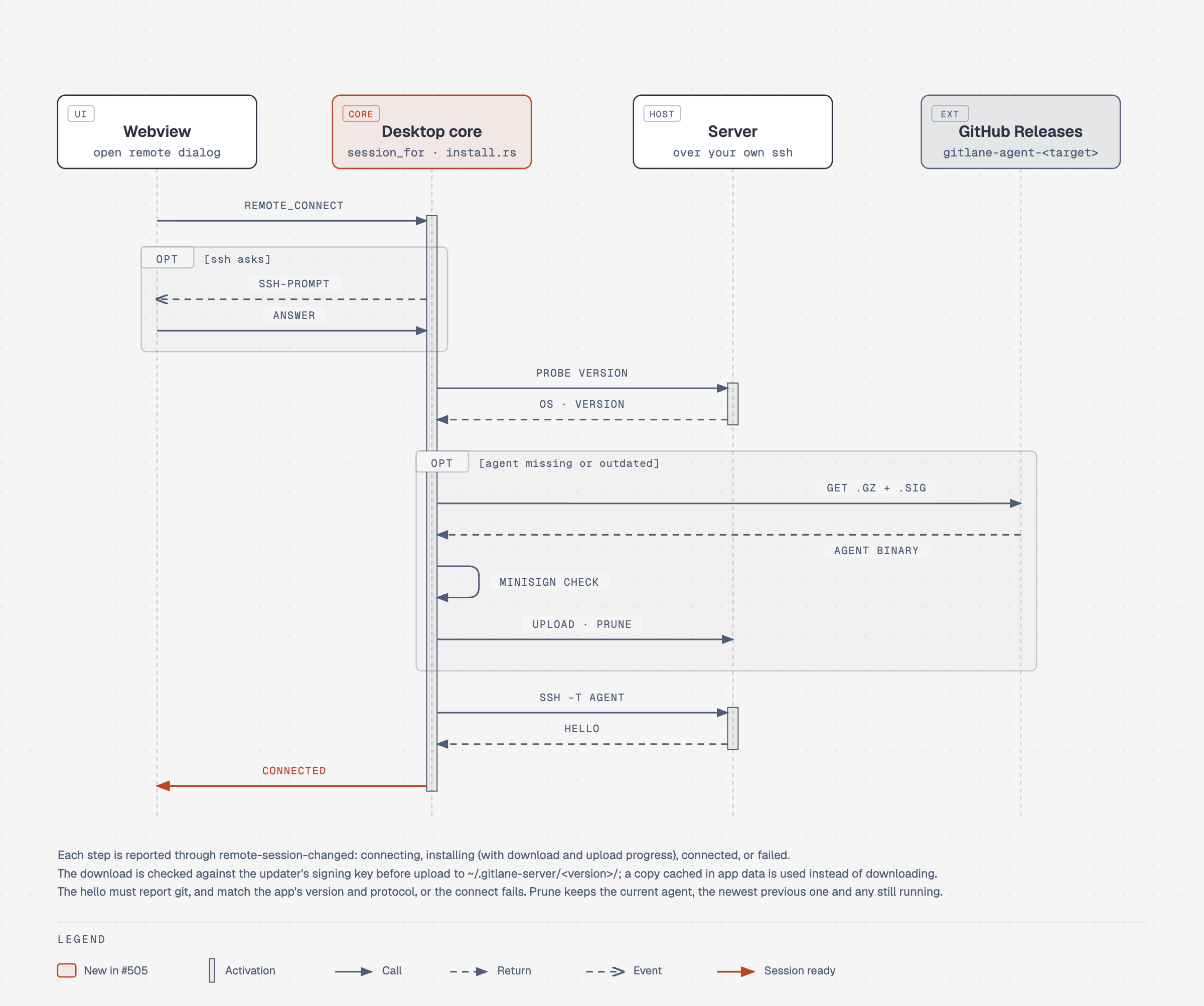
On connect, GitLane checks which helper version the server has. If it's missing or outdated, GitLane downloads the build for the server's platform from GitHub Releases, checks its signature against GitLane's release key, uploads it, and removes old versions. The connection opens only once the helper reports the same version as the app.
The terminal doesn't use the helper. It runs your own ssh in a terminal on this computer, with the tab's user, port and key file, and starts a login shell in the repository's folder.
Good to know
A server's host key is checked the way
sshchecks it. If the key ever changes, GitLane refuses to connect and says so — remove the old entry yourself once you know why.
- Remote repositories are a beta. The helper runs on Linux servers on x86_64 and aarch64, with git 2.36 or newer.
- Pull requests, editing files, Reveal in Finder and open-in-editor, and AI agents act on your computer, so they're turned off in a remote tab.
- The terminal has no agent buttons in a remote tab; to run an agent on the server, type its command.
Full changelog: https://github.com/Siomkin/GitLane/compare/v2.4.3...v2.5.0
Installers: Download GitLane.