Worktrees, stashes, and tags
Give each agent its own checkout, stash by commit id, and run a real PTY terminal in the open worktree.
A linked worktree is a second working directory for the same repository, on its own branch. Give each AI coding agent its own worktree and they run in parallel without fighting over one checkout.
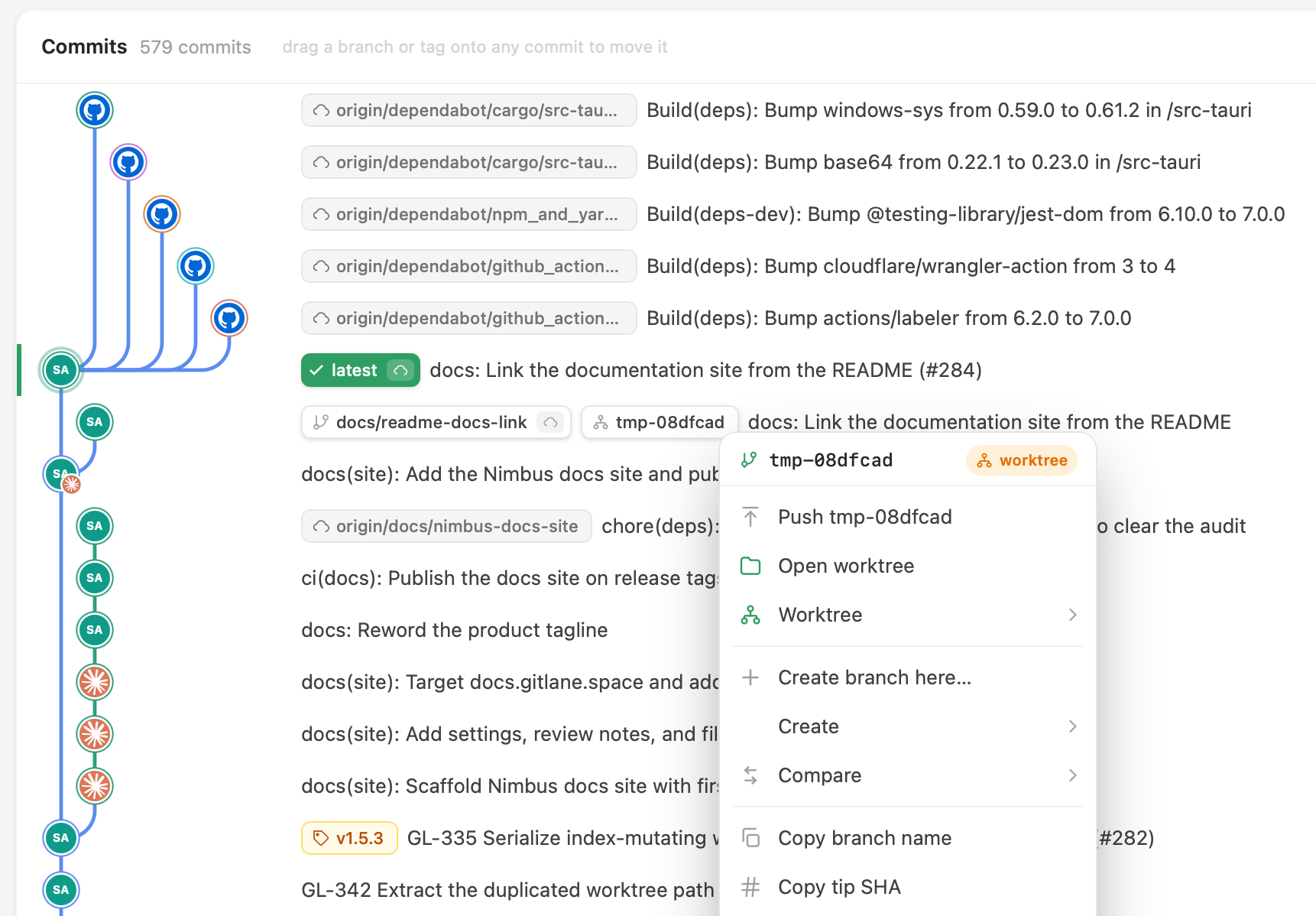
Create and switch
- Right-click any commit, branch, or tag → New worktree here….
- Switch the current tab to it, or open it alongside and keep both.
A branch checked out elsewhere carries a worktree badge. A detached checkout parks a dashed marker on the commit. Either one shows an amber dot when that worktree has uncommitted work. The branch navigator has a Worktrees category; markers and navigator rows open the same menu.
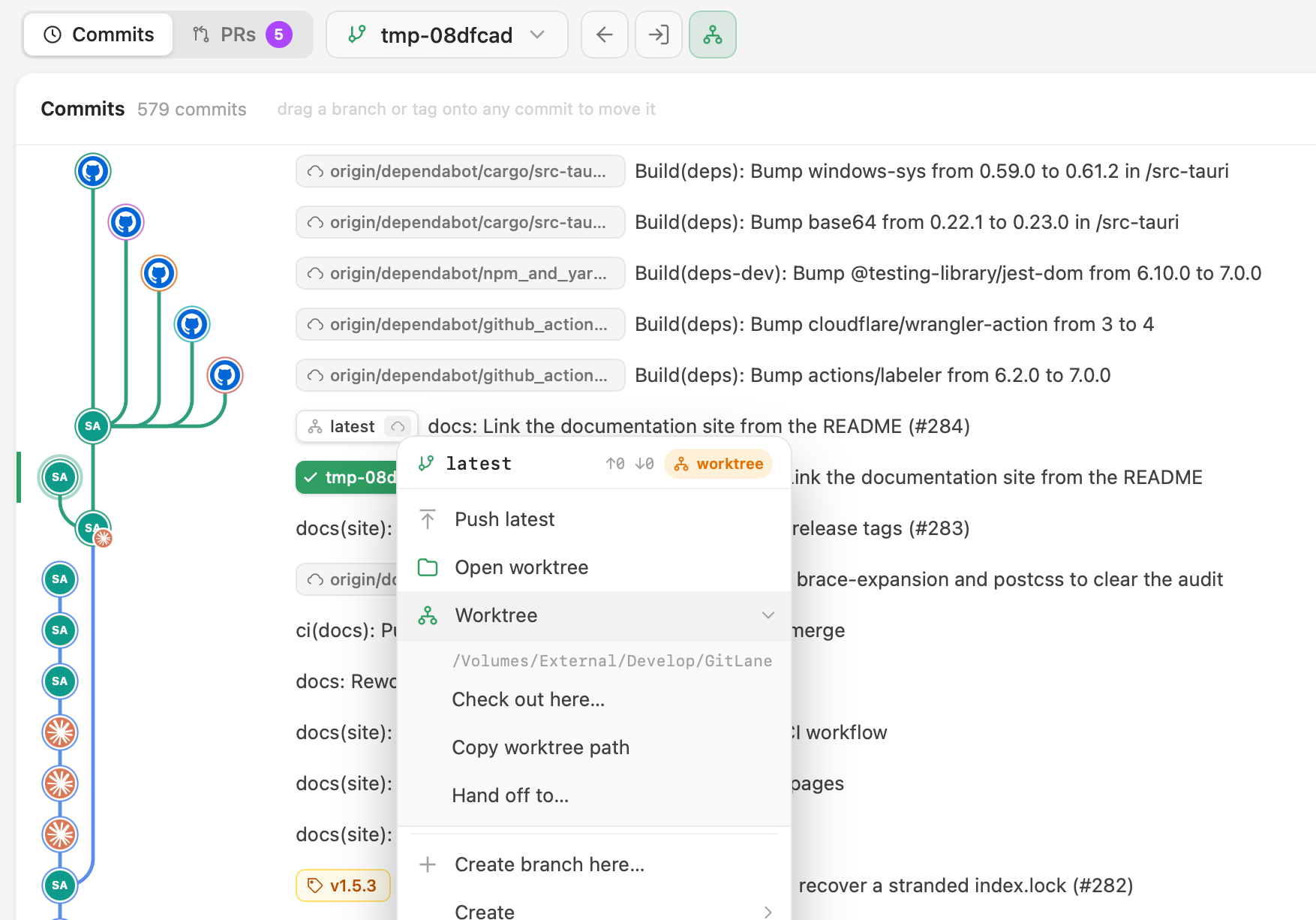
Open a linked worktree and the toolbar shows a chip and a back button to the main checkout. The submenu offers check out here, copy path, and hand off.
Hand-off moves a branch to another worktree carrying its uncommitted changes, with a live checklist. That’s also the escape hatch for git’s rule that a branch can only be checked out in one worktree at a time: GitLane offers bring it here instead of the refusal.
Removing a worktree previews what goes with it and probes for uncommitted work first. Delete <branch> & worktree… can take both. Git won’t remove the main worktree, so GitLane doesn’t offer it.
Stashes, tags, terminal
Stash with ⌘⇧S or Stash all changes on the WIP row, then apply, pop, drop, or branch from it. Stashes sit in the graph at the point in history where you made them.
Create lightweight or annotated tags (annotated tags can be signed). Push or delete a tag on a remote; create a branch or worktree from one.
Terminal tabs are a real PTY in the repository directory — including one-click AI agent launchers under Settings → Terminal Agents. Switch worktree tabs and new terminals follow.
Good to know
Stashes are tracked by commit id, not by
stash@{n}. Those indices shift as stashes come and go, which is how the wrong one gets dropped. Here it can’t happen.
Full walkthrough: Worktrees, stashes, tags, terminal.
Installers: Download GitLane.