Release1 min read
GitLane v2.6.1
Repository tabs show that they're opening, with a Cancel for slow opens and SSH progress, plus linked repository and app settings and a cancellable identity picker.
What's changed
Opening repositories (#538):
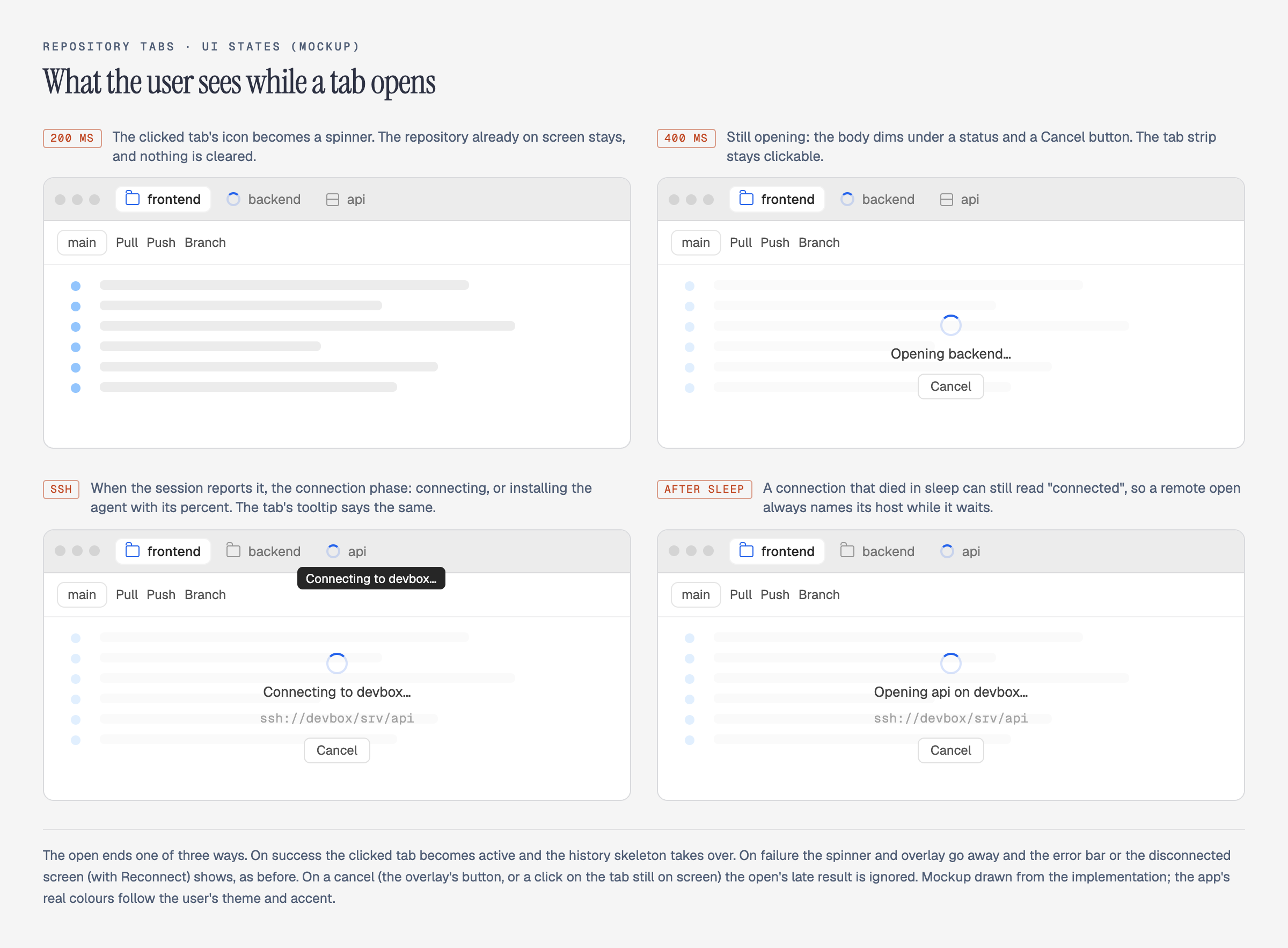
- New: Clicking a repository tab now shows that it's opening. After a moment the tab's icon becomes a spinner, and if the open takes longer, the window dims with "Opening name…" and a Cancel button. Quick local switches don't flicker.
- New: For a repository over SSH, the message says what's happening: "Connecting to host…", the agent install progress, or "Opening name on host…" while a connection that dropped during sleep times out.
- Changed: You can back out of a slow open with Cancel, or by clicking the tab you were already on. The repository on screen stays as it was.
Settings (#536):
- New: In Repository settings, an HTTPS remote's account row can connect a new account for that provider. App settings then offers ← Back to your repository, and binds the new account to the remote when exactly one matching account was added.
- New: Cards at the top of each settings window open the other one: App settings from a repository, and the repository's settings from App settings.
- New: The commit-identity picker can be cancelled. Escape now closes just the list, not the whole window.
- Changed: Tidier Accounts, Remotes and About pages: plainer token rows, the GitHub token host shown like the GitLab and Bitbucket forms, and the footer pinned to the bottom of About.
Installers: Download GitLane.