Ask an agent to resolve a text conflict
Hand a text conflict to your agent; the merged file comes back as a proposal GitLane writes, never the agent.
When a merge, rebase, cherry-pick, or revert stops on conflicts, GitLane becomes a conflict workspace: hunk-by-hunk picks, ours/theirs, then continue. You can also hand a text conflict to the same in-app agent you use for commit messages, with an optional note like “keep our logging.”
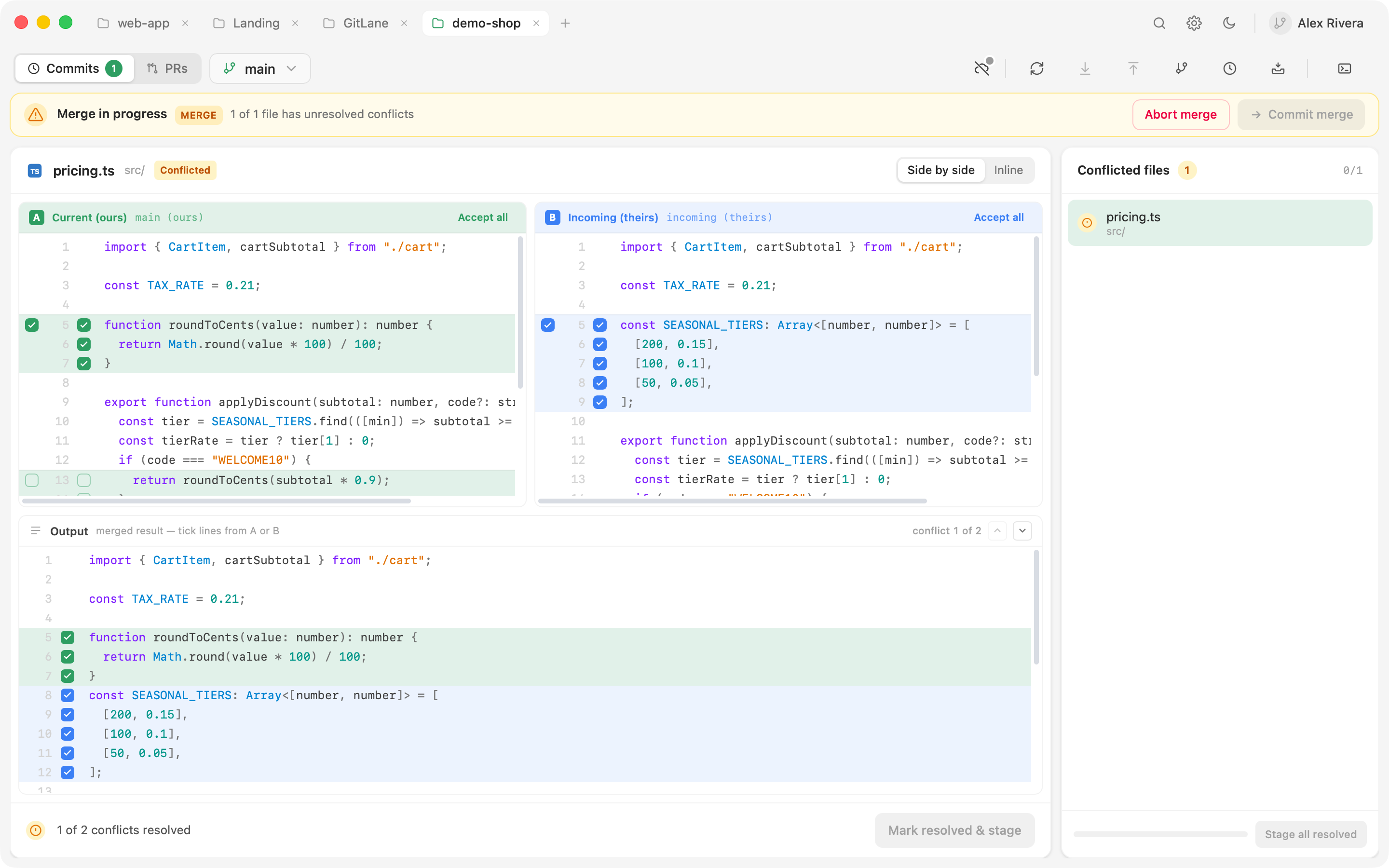
You still review the result. The agent never writes the file.
Resolve one file with the agent
- Let the operation stop on conflicts so the conflict workspace opens.
- Select a conflicted text file. Above the editor you’ll see Resolve with AI (it appears once you have an agent in Settings → AI Agents).
- Optionally type a note in the field next to it — that text travels with the prompt.
- Pick an agent. The run shows in the banner; Stop cancels it.
- The merged file lands as a proposal in the Output pane. Read it.
- Discard throws the proposal away. To keep it, use the editor’s Mark resolved & stage — that’s the same write path as a manual resolve.
Several files at once
If more than one text conflict is still open, Resolve all N runs the agent over them three at a time. Each file in the conflicted list shows its own run state, so you can see which are queued, running, or waiting for you to accept.
Good to know
GitLane writes the file, not the agent. An answer that still contains conflict markers is refused. If the file changed on disk while the agent ran, that proposal is refused too — you won’t stamp stale picks over new work.
Binary and modify/delete conflicts stay on the manual path.
Shipped in GitLane v2.1.1.
Installers: Download GitLane.